Nifty 50
- Mahindra & Mahindra₹3,235.60108.10 (3.46%)
- Shriram Finance₹932.20-31.80 (-3.30%)
- Titan Company₹4,950115.40 (2.39%)
- Power Grid Corp₹254.85-6.30 (-2.41%)
- Adani Ports₹1,92035.40 (1.88%)
- Tata Motors PV₹286.80-6.90 (-2.35%)
- ICICI Bank₹1,527.8027.80 (1.85%)
- Eicher Motors₹7,547-166.00 (-2.15%)
- HDFC Bank₹771.3511.35 (1.49%)
- Bharat Electronics₹387.40-7.70 (-1.95%)
- Kotak Mahindra Bank₹472.755.75 (1.23%)
- Adani Enterprises₹2,682.80-50.50 (-1.85%)
- Bharti Airtel₹2,080.7023.80 (1.16%)
- Hindalco Industries₹920.55-17.30 (-1.84%)
- Sun Pharmaceutical₹1,846.8017.80 (0.97%)
- Bajaj Finance₹1,051.40-18.60 (-1.74%)
- HDFC Life Insurance ₹548.654.85 (0.89%)
- Jio Financial ₹226.05-3.57 (-1.55%)
- HCL Technologies₹1,440.7010.20 (0.71%)
- Grasim Industries₹3,187.60-40.00 (-1.24%)

- Offerings
- Tools & Platforms
Tools & Calculators
- Open API
- Calculators
- SIP Calculator
- CAGR Calculator
- Compound Interest Calculator
- FD Calculator
- RD Calculator
- EPF Calculator
- Retirement Calculator
- HDFC SIP Calculator
- Mutual Fund Return Calculator
- Lumpsum Calculator
- Step Up SIP Calculator
- ETF SIP Calculator
- Brokerage Calculator
- Equity Margin Calculator
- SWP Calculator
- EMI Calculator
- MTF Calculator
- Margin Pledge Calculator
- Algo Strategy
- Markets
Stocks
F&O
Mutual Funds
- More
- What Is a Portfolio Dashboard Using HDFC SKY API?
- Requirements Before Building the Dashboard
- Setting Up HDFC SKY API Access
- Preparing Google Sheets for Portfolio Data
- Connecting HDFC SKY API With Python
- Creating a Portfolio Dashboard in Google Sheets
- Automating Portfolio Updates
- Security Practices While Using APIs
- Conclusion
- What Is a Portfolio Dashboard Using HDFC SKY API?
- Requirements Before Building the Dashboard
- Setting Up HDFC SKY API Access
- Preparing Google Sheets for Portfolio Data
- Connecting HDFC SKY API With Python
- Creating a Portfolio Dashboard in Google Sheets
- Automating Portfolio Updates
- Security Practices While Using APIs
- Conclusion
Build a Portfolio Dashboard with HDFC SKY API + Python/Sheets
By HDFC SKY | Published at: Nov 6, 2026 12:22 PM IST
Open Free Demat Account
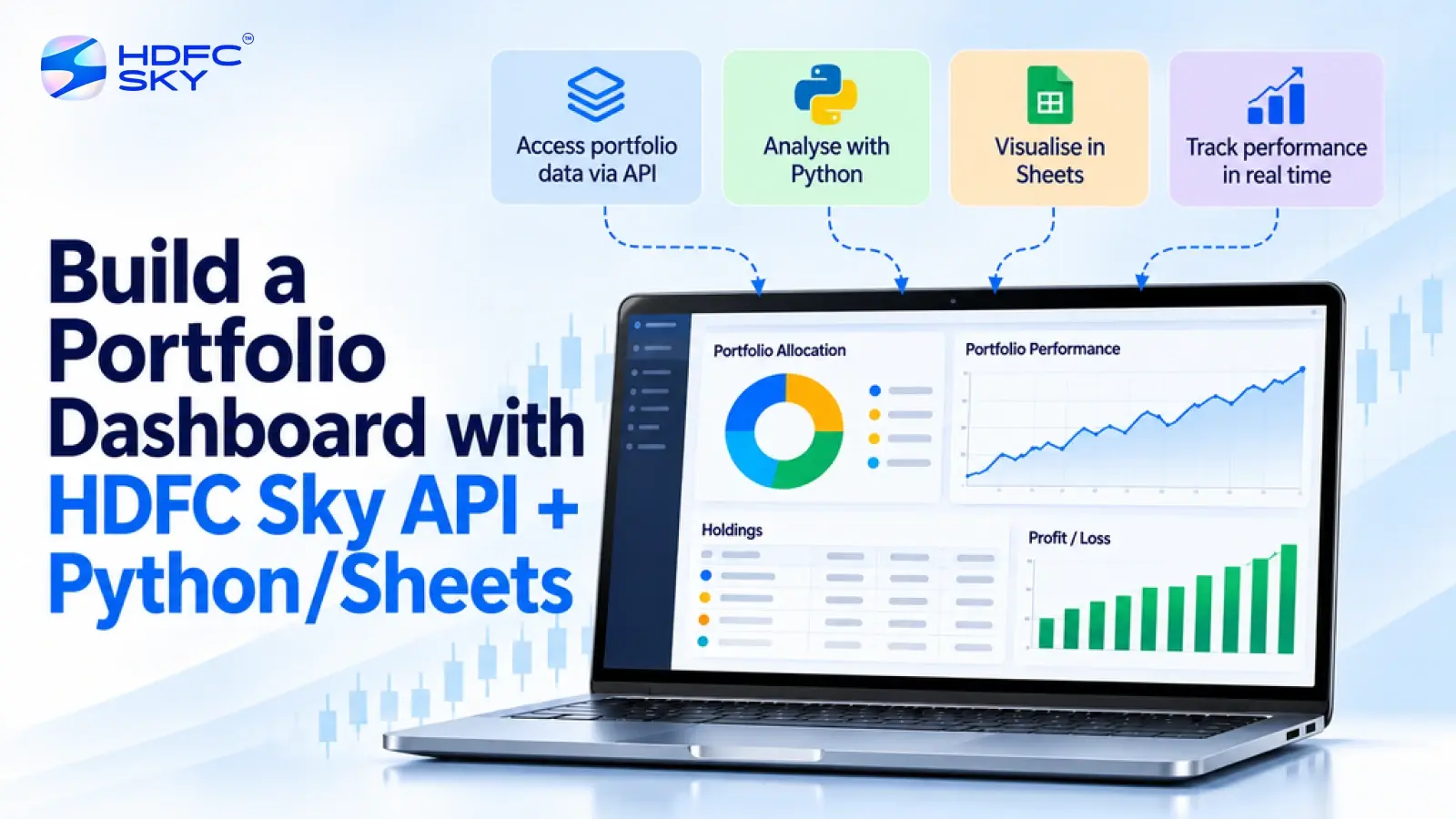
Tracking your investments across multiple platforms can become difficult as your portfolio grows. A custom dashboard can help you view holdings, prices, and performance in one place. By connecting supported HDFC SKY APIs with Python and Google Sheets, investors and developers can create a personalised portfolio dashboard that organises available investment data in one place. This guide explains the setup process, data flow, dashboard creation, and security practices in simple steps.
What Is a Portfolio Dashboard Using HDFC SKY API?
A portfolio dashboard is a customised view that brings your investment information together in one place. Instead of checking different platforms for holdings, prices, and performance, you can organise your portfolio data through a personalised dashboard.
By connecting supported HDFC SKY APIs with Python and Google Sheets, developers can create a system that collects available portfolio and market information, processes the data, and displays it in a simple format.
The workflow follows three basic steps:
- HDFC SKY API: Provides access to supported trading, portfolio, or market-related data.
- Python Script: Collects and formats the received information.
- Google Sheets: Displays the data through tables, formulas, and charts.
This setup helps investors create a customised portfolio tracking solution based on their preferred data points and analysis requirements.
Requirements Before Building the Dashboard
Before creating the dashboard, you need a few accounts, tools, and basic setup requirements.
- HDFC SKY Developer Account
You need access to the HDFC SKY Open API Developer Portal to create an application and generate API credentials. These credentials allow your application to securely connect with supported HDFC SKY APIs. - Google Account and Google Sheets
You need a Google account to create the spreadsheet that will display your portfolio information. You also need to enable the Google Sheets API through Google Cloud. - Python Installation
Install Python on your computer before running the data sync script. Python will help connect HDFC SKY API data with Google Sheets. - Required Python Libraries
Install the required libraries using the terminal or command prompt.
The commonly used packages include:
- requests to send API requests;
- gspread to connect Python with Google Sheets; and
- oauth2client to manage Google Sheet authentication.
You can install them using:
pip install requests gspread oauth2client
Setting Up HDFC SKY API Access
The first step is to create API access through the HDFC SKY Open API Developer Portal. Follow these steps:
- Register on the Developer Portal
Create your developer account and access the HDFC SKY API documentation. The portal provides details about available APIs, authentication methods, and integration requirements. - Create an API Application
Create a new application and generate the required credentials. Store these credentials securely because your Python application will use them for authentication. - Check Available APIs
Review the official documentation before building your dashboard. Select the APIs that provide the information you want to display, such as supported holding, position, trading, or market-related data.
Also Read: How to Connect HDFC SKY with Claude Desktop (Step-by-Step MCP Setup)
Preparing Google Sheets for Portfolio Data
After setting up API access, prepare Google Sheets to receive the portfolio information.
Follow these steps:
- Create a Google Cloud Project
Create a project in Google Cloud and enable the Google Sheets API. Generate a service account and download the JSON credentials file.
This file allows your Python script to securely connect with Google Sheets. - Create Your Portfolio Sheet
Create a new Google Sheet and add column headings based on the information you want to track. For example:
| Instrument | Quantity | Average Price | LTP | Current Value | P&L |
These columns help organise your holdings data in a structured format.
Connecting HDFC SKY API With Python
Python acts as a bridge between HDFC SKY APIs and Google Sheets. It helps collect the available data from HDFC SKY, organise the information into a structured format, and send it to your dashboard.
Before creating the connection, make sure you use the API endpoints, authentication methods, and data fields mentioned in the official HDFC SKY API documentation. Avoid using sample or placeholder URLs in a live application.
The basic workflow includes the following steps:
- Authenticate API Access
The Python script uses your HDFC SKY API credentials to establish a secure connection. These credentials allow the application to communicate with supported HDFC SKY APIs. - Request Portfolio Data
After authentication, the script sends requests to the required HDFC SKY API endpoints. Depending on the APIs enabled for your application, you can retrieve supported information such as holdings, positions, orders, or market-related data. - Process the Received Data
The API returns data in a structured format, usually as JSON. Python processes this information and arranges it into rows and columns that match your Google Sheets format.
For example, you can organise information such as:
I. instrument name;
II. quantity;
III. average price;
IV. latest price;
V. current value;
VI. profit or loss details.
The exact data fields depend on the APIs available through the HDFC SKY Developer Portal. - Update Google Sheets
After processing the data, Python uses libraries such as gspread to connect with Google Sheets and update your portfolio dashboard automatically.
This creates a simple data flow:
HDFC SKY API → Python Script → Google Sheets → Portfolio Dashboard
With this setup, investors and developers can build a personalised dashboard that displays their preferred portfolio information in an organised format.
Creating a Portfolio Dashboard in Google Sheets
Once your data reaches Google Sheets, you can convert the spreadsheet into a simple portfolio dashboard. You can add useful calculations and visual elements.
- Calculate Total Portfolio Value
Use Google Sheets formulas to calculate the total value of your holdings.
For example:
=SUM(E2:E100)
(the specific cell numbers are only for example purposes)
This formula adds the current value of all holdings listed in the sheet. - Track Profit and Loss
Use the P&L column to monitor how individual investments are performing. You can sort the data to identify the best and worst-performing holdings. - Add Charts
Google Sheets allows you to create charts for easier analysis.
You can add:
- pie charts to visualise allocation after grouping investments by sector, category, or asset type;
- bar charts to compare profit and loss across investments; and
- summary charts to monitor overall portfolio performance.
These visuals make it easier to understand your investment data quickly.
Automating Portfolio Updates
A major benefit of combining HDFC SKY APIs with Python is that you can reduce manual data entry.
After creating the script, you can schedule it to run at selected intervals using automation tools available on your computer or server.
For example, you can configure the workflow to:
- refresh available portfolio data periodically;
- update your Google Sheet automatically; and
- maintain an organised record of your investment information.
The frequency of updates depends on API availability, authentication requirements, and your chosen automation settings.
Security Practices While Using APIs
When connecting external tools with your investment account, security should remain a priority. Follow these practices to protect your data:
- Keep your API credentials private and never share them publicly.
- Store authentication files securely.
- Use only official HDFC SKY API documentation and endpoints.
- Avoid uploading API keys or credentials to public platforms.
- Review API access settings and connected applications regularly.
API access should always follow secure authentication practices and the permissions provided by HDFC SKY.
Conclusion
A portfolio dashboard built with HDFC SKY API, Python, and Google Sheets helps investors organise their investment information in one place. By connecting approved data sources with simple automation tools, investors can track holdings, performance, and portfolio insights more efficiently. A secure setup and regular monitoring help create a reliable personal investment dashboard.



Open Free Demat Account
Popular Posts
- 10 Interesting Facts About NSE You Probably Didn’t KnowLast Updated: Sep 30, 2026
- 8-4-3 Rule of SIP - How Does That Work?Last Updated: Jul 30, 2025
- Let's view more exciting Post!
Popular Post from Blogs
- “Bounce Back” Theme Gains Traction in 2026Last Updated: Apr 8, 2026
- 5 Takeaways for Tax Payers from the Budget 2025Last Updated: Jan 29, 2026
- Let’s view more exciting Posts
Invest Anytime, Anywhere

By signing up I certify terms, conditions & privacy policy