Nifty 50
- Bharti Airtel₹1,90917.30 (0.91%)
- Nestle₹1,187.40-36.50 (-2.98%)
- Bajaj Finance₹934.458.45 (0.91%)
- HDFC Life Insurance ₹525.05-14.60 (-2.71%)
- UltraTech Cement₹10,92778.00 (0.72%)
- Coal India₹397.50-10.00 (-2.45%)
- ICICI Bank₹1,393.308.30 (0.60%)
- Tata Motors PV₹269.15-6.55 (-2.38%)
- Bajaj Auto₹10,13058.00 (0.58%)
- Eternal₹305.30-7.05 (-2.26%)
- Cipla₹1,319.605.60 (0.43%)
- Tech Mahindra₹1,794.30-40.40 (-2.20%)
- L&T₹3,649.8013.80 (0.38%)
- Trent₹2,765.60-56.40 (-2.00%)
- SBI₹965.652.65 (0.28%)
- Power Grid Corp₹247.15-5.00 (-1.98%)
- BSE₹3,254.506.20 (0.19%)
- HDFC Bank₹693.45-13.50 (-1.91%)
- Hindustan Unilever₹1,816.20-34.00 (-1.84%)

- Offerings
- Tools & Platforms
Tools & Calculators
- Open API
- Calculators
- SIP Calculator
- CAGR Calculator
- Compound Interest Calculator
- FD Calculator
- RD Calculator
- EPF Calculator
- Retirement Calculator
- HDFC SIP Calculator
- Mutual Fund Return Calculator
- Lumpsum Calculator
- Step Up SIP Calculator
- ETF SIP Calculator
- Brokerage Calculator
- Equity Margin Calculator
- SWP Calculator
- EMI Calculator
- MTF Calculator
- Margin Pledge Calculator
- Algo Strategy
- Markets
Stocks
F&O
Mutual Funds
- More
How to Place a GTDt Order for NSE F&O: Step-by-Step on HDFC Sky App & Web
By HDFC SKY | Published at: Oct 22, 2026 01:37 PM IST
Open Free Demat Account
Open Free Demat Account
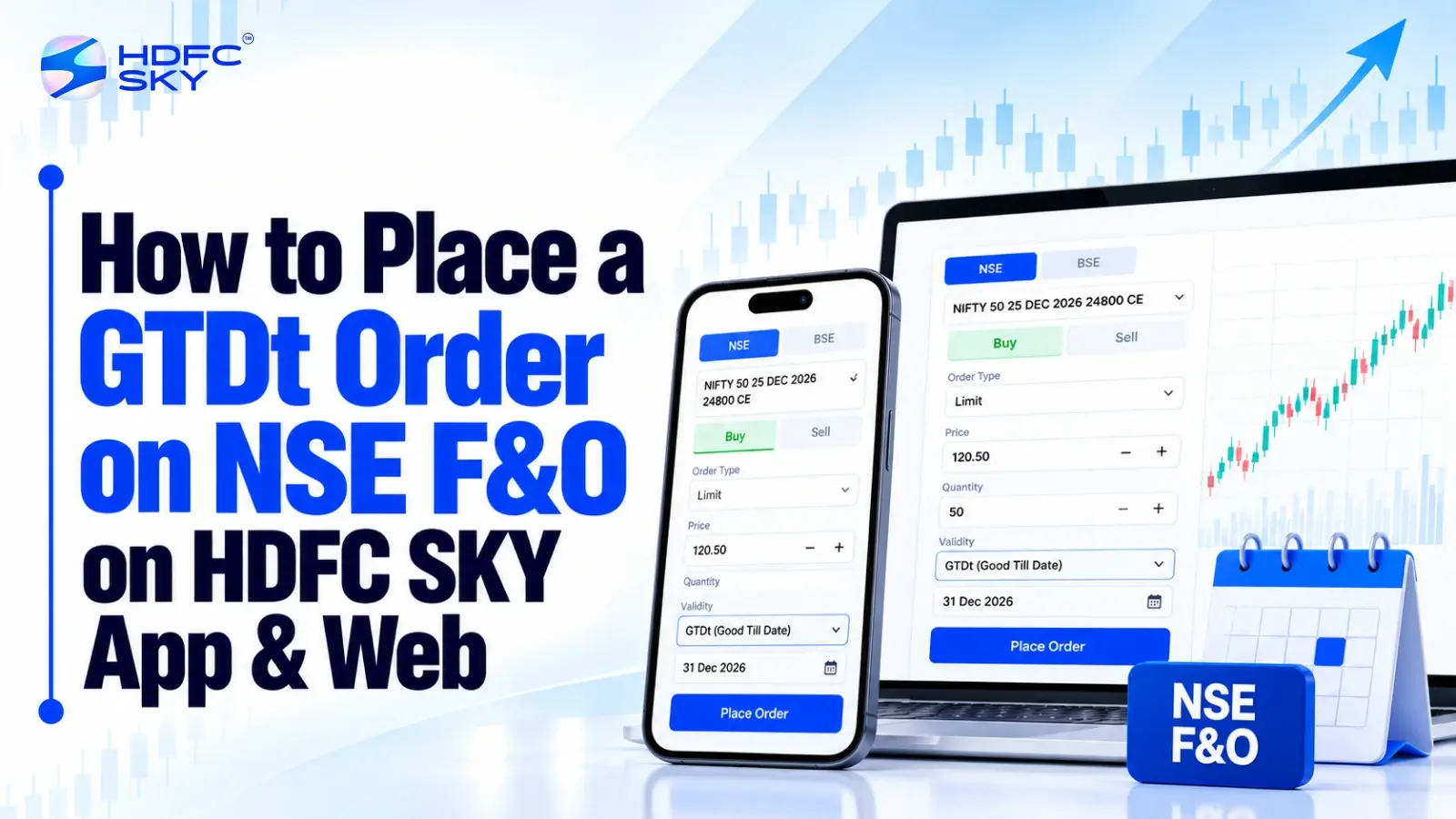
F&O traders may want to place an order at a particular price point without having to give the same instruction every trading day. Eligible NSE F&O traders can now utilise the GTDt (Good Till Date) facility on HDFC SKY to place buy/sell orders for eligible index futures/options with a limit price and a validity period. The facility will carry the unexecuted quantity forward via fresh orders on subsequent trading days during the validity period, subject to applicable conditions.
What Is a GTDt Order?
GTDt, or Good Till Date, is a limit-order facility that allows traders to specify the price at which they want to buy or sell an eligible security and the date until which the order instruction should remain valid.
For F&O, GTDt is available for index futures and index options. The trader enters the contract, transaction type, quantity, limit price, and validity date while placing the order. The maximum validity period is 40 calendar days.
If the order is not fully executed on a trading day, the unexecuted quantity can be submitted again on subsequent trading days during the selected validity period. These fresh orders are placed at the same limit price for the remaining quantity, subject to the applicable conditions.
How to Place a GTDt Order on HDFC SKY App
Before placing an F&O order, ensure that the derivatives segment is activated on your account and that the required funds or margin are available.
Step 1: Log in to the HDFC SKY App
Open the HDFC SKY mobile app and log in using your registered credentials. Once logged in, go to the trading section and select the F&O segment.
Step 2: Search for the F&O Contract
Use the search facility to find the required NSE F&O contract. You can search for the relevant stock or index and select the appropriate futures or options contract. Check the expiry, strike price, and contract type carefully before proceeding. For an options trade, make sure you select the correct Call (CE) or Put (PE) contract and strike price.
Step 3: Select Buy or Sell
Open the selected F&O contract and choose the required transaction:
- Buy if you want to purchase the contract.
- Sell if you want to sell the contract, subject to the applicable F&O position and margin requirements.
Verify the contract details before entering the order parameters.
Step 4: Select the GTDt Order Validity
Choose the GTDt/Good Till Date validity option where available for the eligible contract. GTDt is a limit-order facility, so the order is placed at a price specified by you rather than as a market order.
Step 5: Enter the Order Quantity
Enter the required quantity according to the applicable lot size of the selected F&O contract. Check that the quantity corresponds to the number of contracts or units permitted for the selected instrument.
Step 6: Enter the Limit Price
Enter the price at which you want the order to be executed. For example, if you want to buy an eligible index futures contract only when it reaches your specified price, enter that price as the limit price.
GTDt does not use a trigger price in the same way as a GTT order. The key price specified for a GTDt order is the limit price.
Step 7: Select the Validity Date
Choose the date until which you want the GTDt instruction to remain valid. The selected date must fall within the permitted maximum validity period. GTDt orders can have a maximum validity of 40 calendar days.
If the selected validity date falls on a non-trading day, the order expires on the last trading day preceding that date.
Step 8: Check Funds and Margin
Review the required margin before submitting the order. The necessary funds or margin must be available for the GTDt order and for subsequent orders placed for any unexecuted quantity during the validity period.
Step 9: Review the Order Details
Before submitting the order, verify:
- F&O contract
- Buy or Sell
- Quantity
- Limit price
- Validity date
- Required margin
Pay particular attention to the expiry and strike price when placing an options order.
Step 10: Place the GTDt Order
After checking all the details, submit the order. Once accepted, the GTDt instruction remains subject to execution, cancellation, rejection, and the selected validity conditions. If the entire quantity is not executed, fresh orders can be placed for the unexecuted quantity on subsequent trading days during the validity period.
Also Read: Introducing GTDt (Good till Date) Orders for NSE F&O on HDFC SKY
How to Place a GTDt Order on HDFC SKY Web
The process on the web platform follows the same core order parameters as the app.
Step 1: Log in to the Web Trading Platform
Open the HDFC SKY web trading platform and sign in to your account. Go to the F&O trading section.
Step 2: Find the Required F&O Contract
Search for the stock or index and select the relevant NSE F&O contract.
For options, verify the:
- Underlying
- Expiry
- Strike price
- Call or Put
- Contract quantity
HDFC SKY provides F&O trading and an option-chain facility for identifying available derivatives contracts.
Step 3: Open the Buy or Sell Order Window
Select the required contract and choose Buy or Sell. Check the displayed contract information before entering the order details.
Step 4: Choose GTDt Order Validity
Select the GTDt/Good Till Date validity option where available for the eligible F&O order. The GTDt instruction works through a specified limit price and validity date, rather than a trigger-price mechanism.
Step 5: Enter Quantity and Limit Price
Enter the required quantity and specify your limit price. For example, if your chosen limit price is ₹24,000, the order seeks execution at that specified price or at a price permitted under the applicable exchange rules.
Step 6: Set the Validity Date
Select the date until which the order should remain valid. The validity cannot exceed the permitted maximum of 40 calendar days.
Step 7: Check Margin Availability
Review the margin requirement and ensure sufficient funds or margin are available. This is important because the broker needs the required funds or margin to place orders for unexecuted quantities on subsequent trading days.
Step 8: Review and Submit
Review the contract, transaction type, quantity, limit price, and validity date. Once the details are correct, submit the GTDt order.
What Happens After a GTDt Order Is Placed?
A GTDt order does not guarantee execution. It remains subject to the specified limit price, market conditions, exchange rules and the order’s validity.
If the order is only partially executed, the unexecuted quantity can be submitted through fresh orders on subsequent trading days until the entire quantity is executed or the validity expires. The fresh orders are placed at the same limit price for the remaining quantity.
The order can also be cancelled. Eligible GTDt orders can be modified for quantity or limit price when they are in the appropriate order status; GTDt orders in a blocked status cannot be modified and can only be cancelled.
Key Things to Check Before Placing a GTDt Order
Before submitting an NSE F&O GTDt order, check the following:
- Contract: Confirm the correct futures or options contract.
- Expiry: Verify the expiry date.
- Strike: For options, check the strike price and CE/PE selection.
- Quantity: Enter the appropriate lot quantity.
- Limit price: Confirm the price at which you want the order to execute.
- Validity: Select the required date within the permitted validity period.
- Margin: Ensure sufficient funds or margin are available.
- Order status: Monitor the order for execution, rejection, cancellation, or expiry.
GTDt orders are available for both buy and sell transactions in eligible segments, subject to the applicable product and account conditions.
Conclusion
A GTDt order allows eligible F&O traders to specify a limit price and validity date instead of recreating the same order each trading day. By checking the contract, quantity, limit price, validity, and margin before submission, traders can place the instruction correctly. Monitoring the order status remains important until the position is executed, cancelled, or the GTDt validity period expires.



Open Free Demat Account
Open Free Demat Account
Popular Posts
- 10 Interesting Facts About NSE You Probably Didn’t KnowLast Updated: Sep 30, 2026
- 8-4-3 Rule of SIP - How Does That Work?Last Updated: Jul 30, 2025
- Let's view more exciting Post!
Popular Post from Derivatives
- Option Chain Basket Orders on the HDFC Sky App: Build Multi-Leg Strategies in One GoLast Updated: Oct 22, 2026
- Introducing GTDt (Good till Date) Orders for NSE F&O on HDFC SKYLast Updated: Oct 22, 2026
- Celebrating Innovation: HDFC SKY Shares Perspectives on India’s F&O Market Growth on National Technology DayLast Updated: May 11, 2026
- The Basics: Why Call Options Deserve Your AttentionLast Updated: Jan 30, 2026
- Understandin͏g Moneyness: The Path ͏to Smarter Option Trading͏Last Updated: Jan 30, 2026
- Let's view more exciting Post!
Popular Post from Blogs
- “Bounce Back” Theme Gains Traction in 2026Last Updated: Apr 8, 2026
- 5 Takeaways for Tax Payers from the Budget 2025Last Updated: Jan 29, 2026
- Let’s view more exciting Posts


Invest Anytime, Anywhere


By signing up I certify terms, conditions & privacy policy