Nifty 50
- Kotak Mahindra Bank₹4408.10 (1.88%)
- Titan Company₹4,377-173.00 (-3.80%)
- BSE₹3,35651.00 (1.54%)
- Adani Enterprises₹2,743-106.90 (-3.75%)
- Bharti Airtel₹1,833.9023.40 (1.29%)
- Hindalco Industries₹910.85-29.65 (-3.15%)
- ICICI Bank₹1,357.5014.70 (1.09%)
- JSW Steel₹1,230-29.60 (-2.35%)
- Coal India₹414.502.85 (0.69%)
- Bharat Electronics₹378.30-9.10 (-2.35%)
- Max Healthcare₹9085.50 (0.61%)
- Infosys₹992-21.85 (-2.16%)
- HDFC Life Insurance ₹546.052.10 (0.39%)
- Asian Paints₹2,372.10-52.10 (-2.15%)
- Bajaj Finance₹963.850.75 (0.08%)
- Mahindra & Mahindra₹2,800-55.00 (-1.93%)
- Apollo Hospitals₹7,9172.50 (0.03%)
- Adani Ports₹1,750.10-33.30 (-1.87%)
- L&T₹3,701.50-68.50 (-1.82%)

- Offerings
- Tools & Platforms
Tools & Calculators
- Open API
- Calculators
- SIP Calculator
- CAGR Calculator
- Compound Interest Calculator
- FD Calculator
- RD Calculator
- EPF Calculator
- Retirement Calculator
- HDFC SIP Calculator
- Mutual Fund Return Calculator
- Lumpsum Calculator
- Step Up SIP Calculator
- ETF SIP Calculator
- Brokerage Calculator
- Equity Margin Calculator
- SWP Calculator
- EMI Calculator
- MTF Calculator
- Margin Pledge Calculator
- Algo Strategy
- Markets
Stocks
F&O
Mutual Funds
- More
Elevate Your Trading Experience with TradingView Charts on HDFC SKY
By HDFC SKY | Updated at: Feb 6, 2025 11:05 AM IST
Open Free Demat Account
Open Free Demat Account
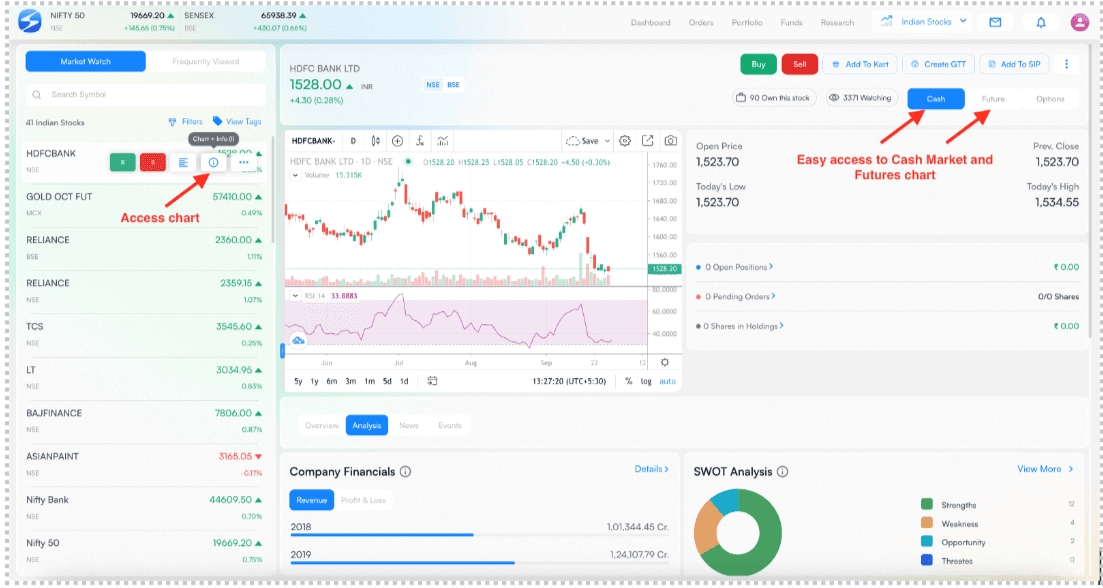
In response to popular demand, HDFC SKY is thrilled to announce the integration of TradingView Charts into our platform. Now, traders and investors can choose between two powerful charting options: TradingView and ChartIQ, all to suit their preferences.
One view with all the details on web!
Key Features at Your Fingertips:
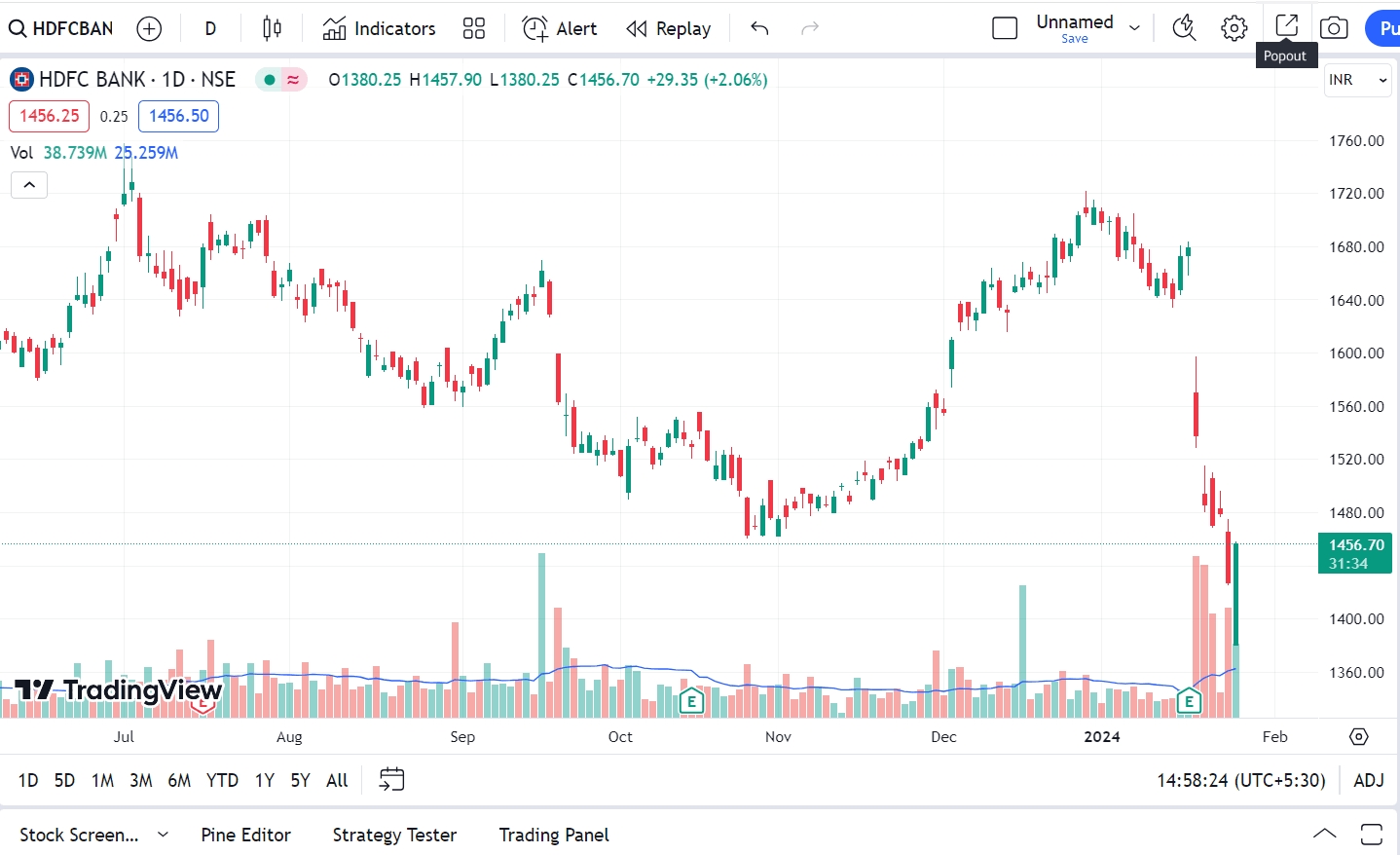
- Multiple Full screen charts View with Pop-Out Feature
Open multiple full-screen charts for different stocks, each with customizable time frames.
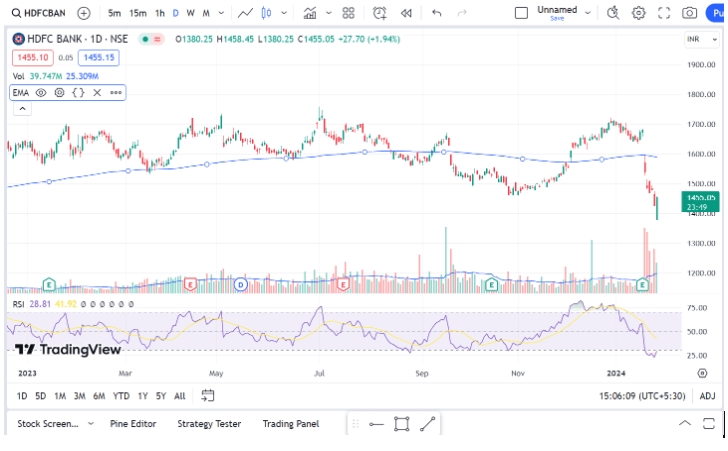
- Advanced Indicators and Drawing Tools
Empower your technical analysis with an extended list of indicators and drawing tools.
- Effortless Stock Search and Addition
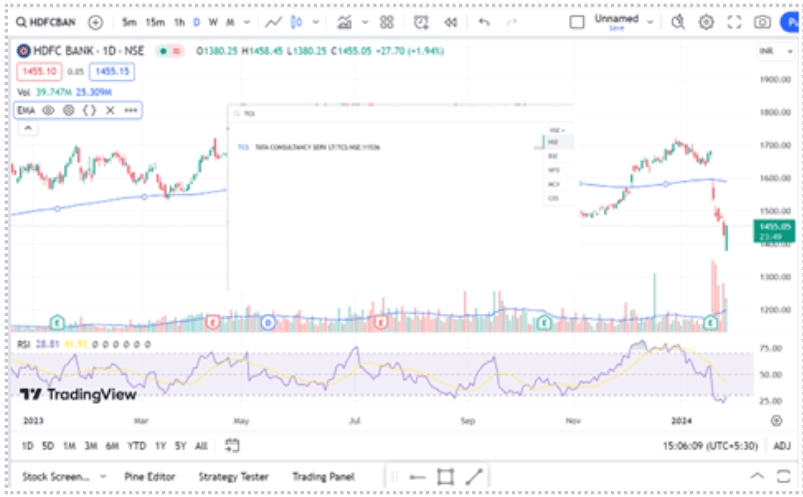
Simply type your preferred stock’s name (e.g., TCS) while viewing a full-screen chart using your keyboard. The chart platform will automatically open a search window for stock selection.
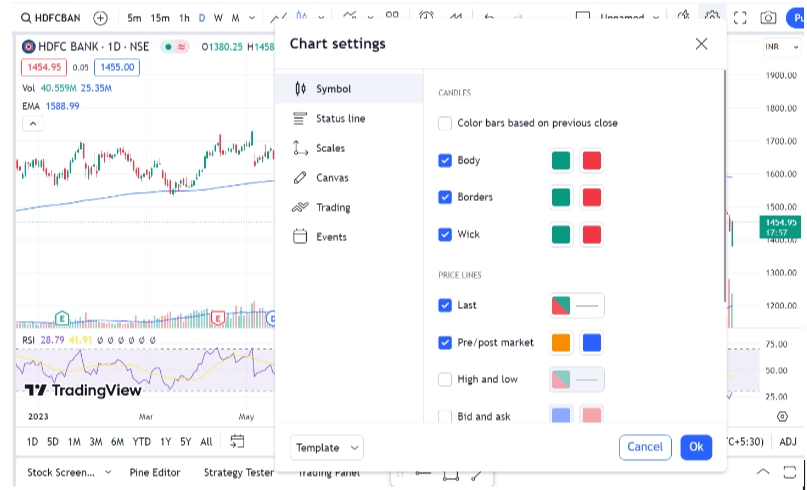
- Customizable Chart Colors and Lines
Tailor your charts with a rich palette of colors and a variety of line combinations for enhanced clarity.
- Diverse Chart Types
Switch between candlestick charts, bar charts, line charts, Heikin-Ashi charts, and more to match your analysis style.

- Navigate to Specific Dates and time frame
Explore how a stock performed on a specific day, making it a powerful tool for historical analysis.
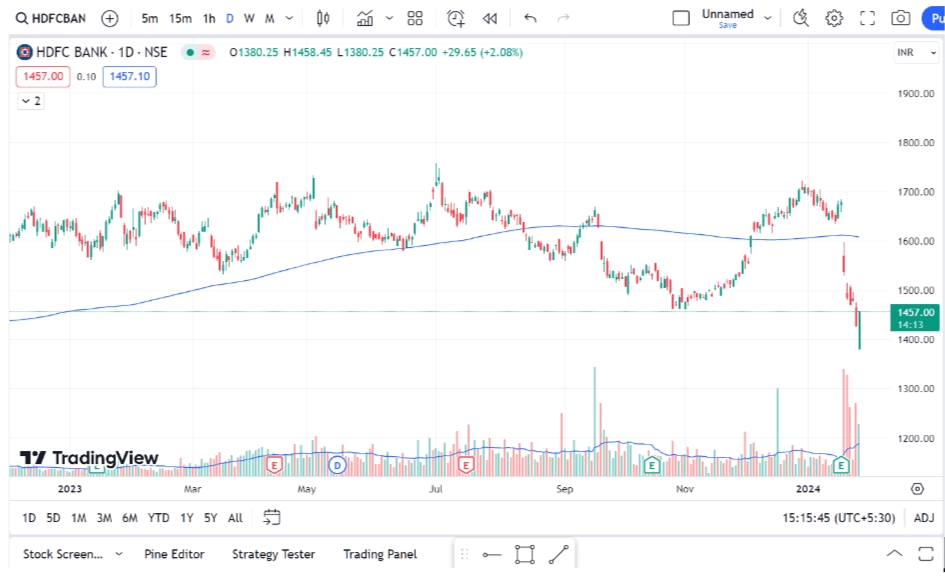
HDFC SKY’s integration of TradingView delivers the same seamless charting experience as the TradingView website. Additionally, you gain access to real-time financial news and an economic calendar. Stay informed about crucial events and economic data that can impact your trading decisions.
How to Switch Between ChartIQ and TradingView Charts on HDFC SKY:
** For the Mobile App:**
- Navigate to the Profile section in the top left corner of the mobile app.
- Access the Profile Settings section.
- Tap on Edit Preferences.
- Select Trading View Charts.
For the Web Platform:
- Visit the Profile section in the top right corner of the Web platform.
- Click on View Profile.
- Navigate to Preferences (next to Account Detail) and click on Edit Preference.
- Enable Trading View Charts.
Now, take TradingView Charts on HDFC SKY for a spin and share your valuable feedback with us.
Happy trading!



Open Free Demat Account
Open Free Demat Account
Popular Posts
- 10 Interesting Facts About NSE You Probably Didn’t KnowLast Updated: Sep 30, 2026
- 8-4-3 Rule of SIP - How Does That Work?Last Updated: Jul 30, 2025
- Let's view more exciting Post!
Popular Post from Share Market
- New Pre‑Open Rules Go Live on 7 September 2026Last Updated: Sep 4, 2026
- Trap Alert: How to Identify Common Market TrapsLast Updated: Apr 24, 2026
- When the King of Skies Encounters TurbulenceLast Updated: Jan 28, 2026
- HDFC Securities Partners with smallcase to Launch Model Portfolios on HDFC SKYLast Updated: Nov 28, 2025
- HDFC Securities Introduces SKY Signals on HDFC SKY to Strengthen Research-Driven Investments for Retail CustomersLast Updated: Nov 20, 2025
- Let's view more exciting Post!
Popular Post from Blogs
- “Bounce Back” Theme Gains Traction in 2026Last Updated: Apr 8, 2026
- 5 Takeaways for Tax Payers from the Budget 2025Last Updated: Jan 29, 2026
- Let’s view more exciting Posts

Invest Anytime, Anywhere


By signing up I certify terms, conditions & privacy policy