Nifty 50
- Adani Ports₹1,863.10101.80 (5.78%)
- Trent₹2,869.10-44.80 (-1.54%)
- Adani Enterprises₹2,621141.20 (5.69%)
- Maruti Suzuki₹11,431-148.00 (-1.28%)
- Power Grid Corp₹262.0510.65 (4.24%)
- Bajaj Auto₹10,360-125.00 (-1.19%)
- Kotak Mahindra Bank₹458.3018.30 (4.16%)
- SBI Life Insurance ₹1,649.60-17.10 (-1.03%)
- Eternal₹337.3511.35 (3.48%)
- Cipla₹1,357.80-7.80 (-0.57%)
- Hindustan Unilever₹1,86549.20 (2.71%)
- Hindalco Industries₹889.85-3.90 (-0.44%)
- Bajaj Finance₹94224.75 (2.70%)
- Tech Mahindra₹1,768.90-7.70 (-0.43%)
- NTPC₹3117.25 (2.39%)
- Eicher Motors₹7,269-31.00 (-0.42%)
- Titan Company₹4,437.6099.70 (2.30%)
- Tata Steel₹169-0.27 (-0.16%)
- Tata Consumer ₹1,02221.80 (2.18%)
- InterGlobe Aviation₹4,685-5.00 (-0.11%)

- Offerings
- Tools & Platforms
Tools & Calculators
- Open API
- Calculators
- SIP Calculator
- CAGR Calculator
- Compound Interest Calculator
- FD Calculator
- RD Calculator
- EPF Calculator
- Retirement Calculator
- HDFC SIP Calculator
- Mutual Fund Return Calculator
- Lumpsum Calculator
- Step Up SIP Calculator
- ETF SIP Calculator
- Brokerage Calculator
- Equity Margin Calculator
- SWP Calculator
- EMI Calculator
- MTF Calculator
- Margin Pledge Calculator
- Algo Strategy
- Markets
Stocks
F&O
Mutual Funds
- More
- What You Need Before Deploying Your First Algo
- Step 1: Log In to HDFC SKY and Open the Algo Strategies Section
- Step 2: Browse and Filter the Available Algo Strategies
- Step 3: Evaluate the Algo Before Activating It
- Step 4: Configure Your Algo Strategy
- Step 5: Review and Activate Your Algo
- Step 6: Monitor Your Algo After Deployment
- First Algo Deployment Checklist
- Conclusion
- What You Need Before Deploying Your First Algo
- Step 1: Log In to HDFC SKY and Open the Algo Strategies Section
- Step 2: Browse and Filter the Available Algo Strategies
- Step 3: Evaluate the Algo Before Activating It
- Step 4: Configure Your Algo Strategy
- Step 5: Review and Activate Your Algo
- Step 6: Monitor Your Algo After Deployment
- First Algo Deployment Checklist
- Conclusion
How to Deploy Your First Algo Strategy on HDFC SKY via AlgoBulls: A Step-by-Step Guide
By HDFC SKY | Published at: Oct 29, 2026 02:28 PM IST
Open Free Demat Account
Open Free Demat Account
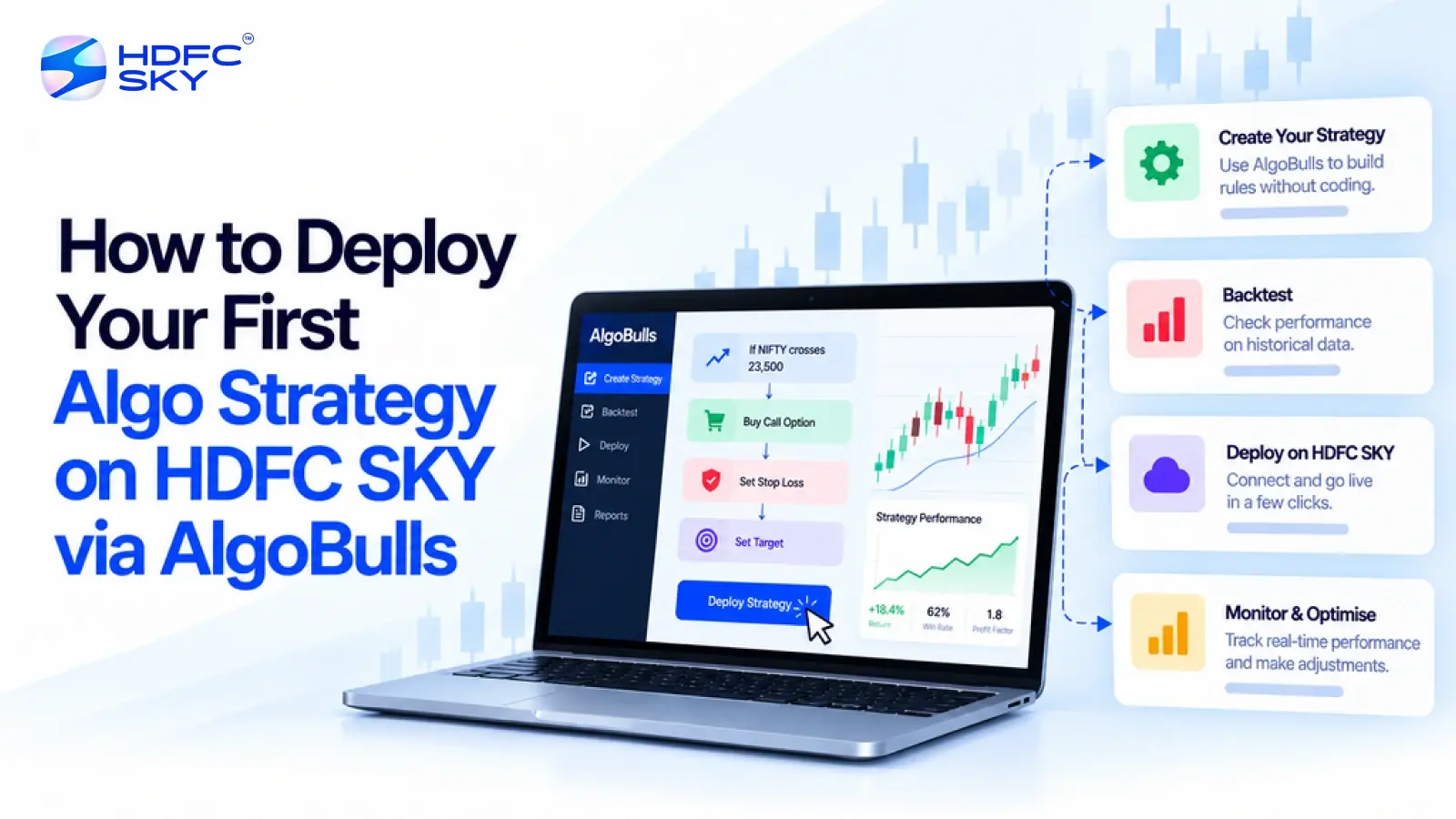
Algorithmic trading can look complex when you first encounter it. HDFC SKY’s AlgoBulls-powered White Box Algo offering makes the process more guided. You can browse ready-to-use strategies, review their details and historical performance, choose an allocation, and activate a strategy from HDFC SKY. This guide explains each step in simple terms, so first-time users can understand the process before they put an algo strategy into live execution before taking action.
What You Need Before Deploying Your First Algo
Before starting the deployment process, understand what HDFC SKY’s algo offering provides and what you need to access it.
HDFC SKY has launched a curated range of White Box Algo strategies. The offering includes ready-to-use models across equity and F&O. The initial catalogue contains 16 models, including six equity strategies and 10 F&O strategies. AlgoBulls powers the technology behind these strategies.
You do not need to build an algorithm from scratch for this workflow. HDFC SKY lets eligible users explore the available strategies, review their characteristics, and activate a selected model through the platform.
Before you begin, make sure you have access to your HDFC SKY account. You should also understand the segment and strategy you plan to use. Review the information and applicable risk disclosures before activating any strategy.
It is also important to distinguish this process from HDFC SKY’s Open API route. HDFC SKY offers APIs for users who want to build their own automated trading applications. That process involves a different setup. This guide focuses on the curated AlgoBulls-powered strategies available through HDFC SKY.
With these basics clear, you can start the actual deployment process.
Step 1: Log In to HDFC SKY and Open the Algo Strategies Section
The first step takes you from your HDFC SKY account to the section where you can explore the available algo strategies.
1. Log in to HDFC SKY
Open the HDFC SKY website or app and sign in using your existing account credentials. Once you enter the platform, look for the section related to algorithmic strategies. Eligible HDFC SKY clients can access the algo catalogue from the platform and start exploring the available strategies.
2. Open the Algo Strategy Catalogue
Enter the algorithmic strategies section to view the available models. The exact layout can change as HDFC SKY updates its website or app. Therefore, focus on the algorithmic strategies or White Box Algo section rather than a fixed menu name. Once you reach the catalogue, you can start narrowing down the available choices.
Step 2: Browse and Filter the Available Algo Strategies
After opening the catalogue, the next task is to find strategies that match the segment and trading approach you want to explore. You can search and filter strategies by factors such as segment, trading experience, and strategy style. The available models cover equity and F&O.
The catalogue includes strategies based on approaches such as trend-following, mean reversion, and momentum. These terms describe different ways in which a strategy responds to market movements.
1. Choose the Trading Segment
Start by deciding whether you want to explore an equity or F&O strategy. Your choice will narrow the available models and help you focus on strategies designed for the relevant market segment.
2. Check the Strategy Style
Next, review the strategy style shown on the platform. For example, one strategy may follow market trends, while another may look for price movements that move back towards an earlier level. Do not choose a strategy simply because its name sounds familiar. Move to the strategy details before making a decision.
3. Shortlist a Strategy
After filtering the catalogue, select a strategy that you want to examine more closely. At this stage, you are only creating a shortlist. You still need to understand how the selected strategy works before you activate it.
Step 3: Evaluate the Algo Before Activating It
Finding a strategy is only the first part of the process. Before allocating capital, review the information available for that specific model. Users can review back-tested performance snapshots, risk indicators, and key parameters before activating a strategy.
AlgoBulls also provides strategy-detail pages that can show information such as the strategy approach, entry and exit conditions, key parameters, segment, and minimum capital requirements.
1. Understand the Strategy Approach
Read the strategy description first. Understand what market behaviour the model tries to capture. Also check the instruments and trading segment associated with the strategy. You do not need to understand the underlying code. You should, however, understand the basic trading idea before you activate it.
2. Review Historical Performance
Check the back-tested performance information available for the strategy. Back-testing shows how a strategy would have performed against historical market data. It can help you understand the strategy’s past behaviour. However, past performance does not guarantee future results. Market conditions can change, and a strategy can perform differently in live markets.
3. Check Risk Indicators and Key Parameters
Review the risk information and other parameters displayed for the strategy. Also check the minimum capital requirement, where the platform provides it. AlgoBulls’ strategy documentation identifies minimum capital, trading segment, and other strategy details as part of the strategy information.
This review gives you the information needed for the next step: deciding how much capital to allocate and checking any settings available for the selected strategy.
Also Read: HDFC Sky + OpenAlgo: A Beginner’s Guide to Setting Up a Self-Hosted Algo Trading System
Step 4: Configure Your Algo Strategy
Once you understand the strategy, move to its deployment settings. HDFC SKY users can allocate capital to their chosen strategy before activating it.
1. Review the Available Settings
Open the deployment or activation area for the selected strategy. Check which settings the platform allows you to control. The available options can differ between strategies, so do not assume that every model offers the same controls. Use only the options that HDFC SKY displays for your selected strategy.
2. Set the Required Capital Allocation
Enter or select the required allocation according to the strategy’s deployment options. Check the minimum capital requirement and make sure your planned allocation matches the strategy’s requirements.
Avoid treating the allocation as a guarantee of returns. Your allocation simply determines the amount of capital you choose to put behind the strategy. Once you finish this step, you can perform one final review before activating the algo.
Step 5: Review and Activate Your Algo
You have now selected a strategy and completed its available configuration. The next step puts the strategy into live operation.
1. Complete the Final Checks
Before activation, review the key details one more time.
Check the following:
- Selected strategy
- Trading segment
- Strategy approach
- Historical performance information
- Risk indicators
- Minimum capital requirement, where applicable
- Capital allocation
- Available strategy parameters
- Applicable terms and risk disclosures
This final check can help you avoid activating the wrong strategy or entering an incorrect allocation.
2. Activate the Strategy
Once you are satisfied with the details, use the activation option shown on HDFC SKY. Eligible users can review and activate the curated White Box Algo strategies through HDFC SKY.
After activation, the strategy can generate and execute orders according to its underlying rules. This removes the need to manually place each trade generated by the model. The strategy does not remove market risk. Automated execution only changes how the strategy carries out its rules.
3. Understand What Happens After Activation
Once the strategy goes live, its underlying model determines when it generates trades. Users retain visibility and control over their portfolios after activating a strategy. The offering also integrates with existing trading and portfolio views. That makes monitoring the next important part of the process.
Step 6: Monitor Your Algo After Deployment
Activating the strategy does not mean you should stop checking your account. You should continue to monitor its activity and portfolio impact.
1. Track Strategy Activity
Check the relevant strategy and portfolio information available through HDFC SKY. Keep an eye on the trades generated by the strategy and the positions created in your account.
2. Monitor Orders and Positions
Review your orders and open positions through the platform. This helps you understand how the live strategy operates compared with the information you reviewed before activation.
3. Keep Track of Your Portfolio
Continue reviewing the portfolio after deployment. AlgoBulls describes its broader platform as providing trade logs and analytics, while HDFC SKY’s curated algo offering integrates with existing trading and portfolio views. If you decide to stop or change your strategy, use the controls available on the platform and follow the applicable process.
First Algo Deployment Checklist
You have now completed the full deployment journey. Use the following checklist to review the important points before and after going live.
Before Activation
- Log in to HDFC SKY.
- Open the algo strategies section.
- Filter the available strategies.
- Select a strategy for detailed review.
- Understand its trading approach.
- Review historical performance information.
- Check risk indicators and key parameters.
- Check the minimum capital requirement, where applicable.
- Review the available allocation and settings.
- Read the applicable terms and risk disclosures.
After Activation
- Check the deployed strategy.
- Monitor generated orders.
- Review open positions.
- Track the portfolio.
- Follow the strategy’s activity through the available HDFC SKY views.
- Keep reviewing its performance and behaviour.
This checklist brings together the practical steps without changing the deployment process.
Conclusion
Deploying your first algo on HDFC SKY does not require you to build a strategy from scratch. You can explore available AlgoBulls-powered models, review their details, set the required allocation, and activate a suitable strategy. Take time to understand the model, review its risks, and monitor it after activation regularly.



Open Free Demat Account
Open Free Demat Account
Popular Posts
- 10 Interesting Facts About NSE You Probably Didn’t KnowLast Updated: Sep 30, 2026
- 8-4-3 Rule of SIP - How Does That Work?Last Updated: Jul 30, 2025
- Let's view more exciting Post!
Popular Post from Derivatives
- Curated Algo Strategies on HDFC SKY: How to Read Strategy Performance Before You SubscribeLast Updated: Oct 29, 2026
- Options Tab Walkthrough on HDFC SKY: IV, OI, and Max Pain at a GlanceLast Updated: Oct 29, 2026
- Futures Tab Walkthrough on HDFC SKY: Where to Find Basis, Rollover, and OI DataLast Updated: Oct 29, 2026
- The F&O Details Page on HDFC SKY: Futures & Options Tabs ExplainedLast Updated: Oct 29, 2026
- How to Set Up Scalper Mode on Web for Nifty & Bank Nifty OptionsLast Updated: Oct 22, 2026
- Let's view more exciting Post!
Popular Post from Blogs
- “Bounce Back” Theme Gains Traction in 2026Last Updated: Apr 8, 2026
- 5 Takeaways for Tax Payers from the Budget 2025Last Updated: Jan 29, 2026
- Let’s view more exciting Posts


Invest Anytime, Anywhere


By signing up I certify terms, conditions & privacy policy